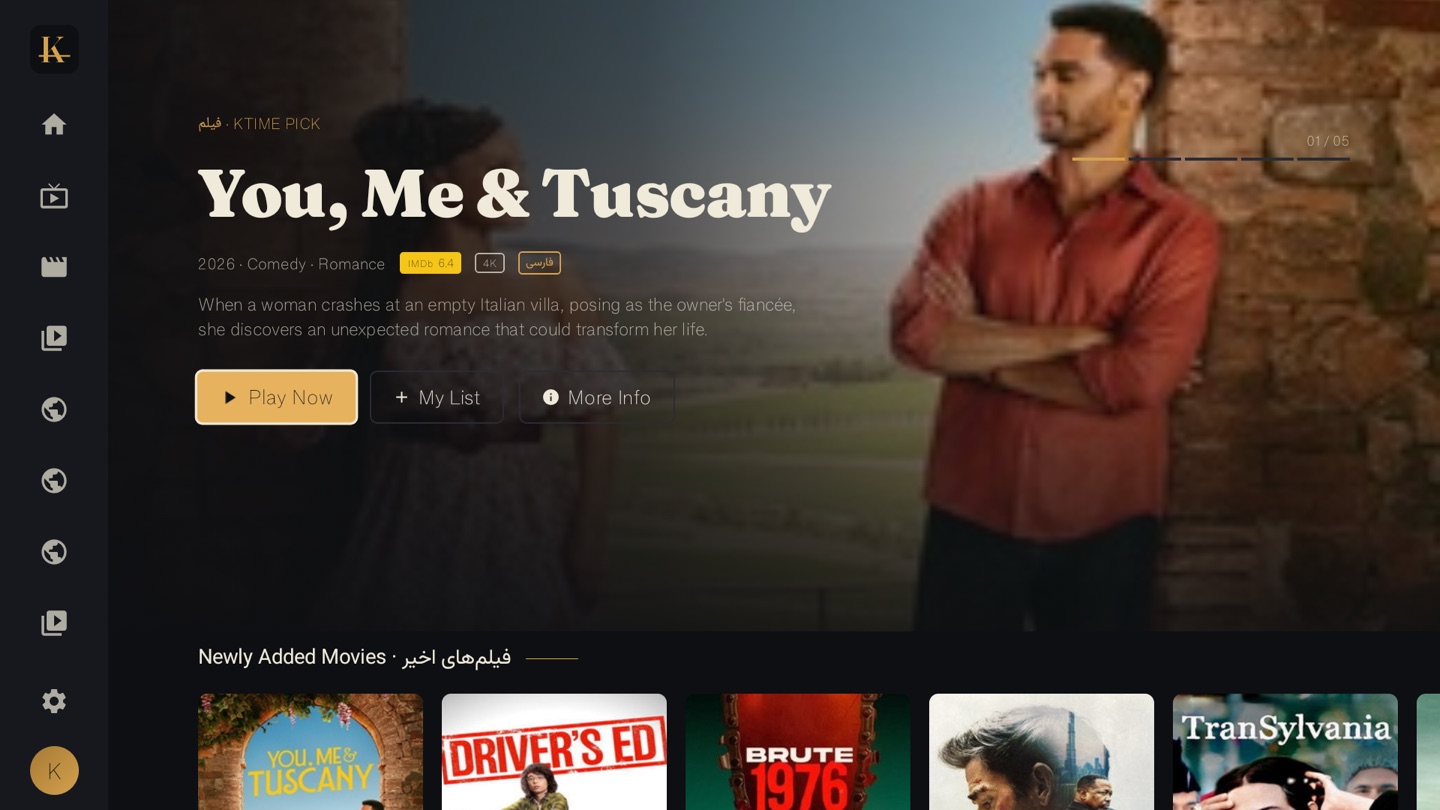
K-Time runs on three kinds of screen, and one account covers all of them. For the phone, tablet or computer you are holding, open the web app at ktime.app/app and press play — nothing to install. For the living-room television, install the K-Time TV app on Android TV, Fire TV, Google TV or an Nvidia Shield. And for parents who would rather not set anything up, there is a pre-configured K-Time device. This guide covers which one to use on each screen.
The short version: the browser is the fastest way to start anywhere, the TV app is the best big-screen experience, and the device is the no-tech path. None of them needs a VPN or an Iranian bank card.
What’s the fastest way to start watching?
The browser is the fastest start on any device. Go to ktime.app/app, sign in, and the full catalog — Iranian movies, series and live TV — plays in the page. There is no download and no store, so it works the same on a borrowed laptop as on your own phone. If you have never used K-Time, this is the lowest-effort way to see what is in the Iranian film hub before you set anything up on the TV.
How do I watch K-Time on my phone or tablet?
Use the browser. The web app runs in Safari on an iPhone or iPad, in Chrome on an Android phone or tablet, and in any desktop browser. The layout adapts to the screen, your watch history follows your account, and there is nothing to keep updated because you always load the current version. This is the part of K-Time that finally answers “can I watch it on my phone” — yes, in the browser, on any phone.
How do I watch K-Time on my TV?
Install the K-Time app from the TV install page. It runs on Android TV, Fire TV, Google TV and the Nvidia Shield — built for a remote and a ten-foot view, with large posters and a one-click launch. This is the best experience for a full film on the big screen, and it is the path most households use in the evening. There is no native K-Time app for Apple TV, Samsung or LG — but those TVs are no longer left out (see the next section).
How do I watch K-Time on a Samsung, LG or Apple TV?
Use a standard IPTV app with your K-Time account. As of June 2026, K-Time also works through ordinary IPTV player apps, which covers the TVs that have no native K-Time app — Samsung, LG and Apple TV. You install the free app for the device (SS IPTV on Samsung/LG, Smarters Player Lite on Apple TV), sign in with your K-Time login, and the same library loads. It is included in your subscription at no extra cost — the TV counts as one of your devices. The step-by-step for each device is in our full setup guide for watching K-Time on your TV, with dedicated walkthroughs for Samsung and LG TVs.
What about parents who don’t want to set anything up?
Buy the pre-configured K-Time دستگاه. It is sold at Iranian shops in the Greater Toronto Area, comes with the app already installed, and needs nothing but an HDMI port and a one-time sign-in. For elderly parents or grandparents, this is the path we recommend — there is no sideloading and no Downloader app. Our full walkthrough for setting up Persian TV for parents covers the device and the Fire TV Stick alternative.
Which screen should I choose?
| Device | Best for | How to start | What you watch |
|---|---|---|---|
| Web browser | Phone, tablet, laptop, desktop | ktime.app/app, sign in | Movies, series, live TV |
| Android TV / Fire TV / Google TV / Shield | The living-room television | Install the TV app | Movies, series, live TV |
| K-Time device (دستگاه) | Parents, no-tech setup | Buy in the GTA, plug in, sign in | Movies, series, live TV |
Every row uses the same account and the same Persian library. Most people end up using two: the TV app or device in the living room, and the browser on a phone for the in-between moments.
Do I need a VPN or an Iranian card?
No, on any of the three. K-Time has no geo-block, so there is no VPN, and it takes any foreign card. This is the difference from Filimo and Namava, which license their catalogs for inside Iran and need an Iranian IP and a Shetab card — the reason they fail abroad. If you are still comparing services, our guide to watching Persian TV outside Iran lays out why a diaspora-built service is the only one that works without workarounds. City-specific notes are in our guides for Los Angeles and Toronto.
Watching on K-Time
Pick the screen in front of you. Open the web app to start in seconds, install the TV app for the living room, or buy the pre-configured دستگاه in the GTA for a setup-free start. New here? Create an account and the same Persian catalog follows you to every screen you own.