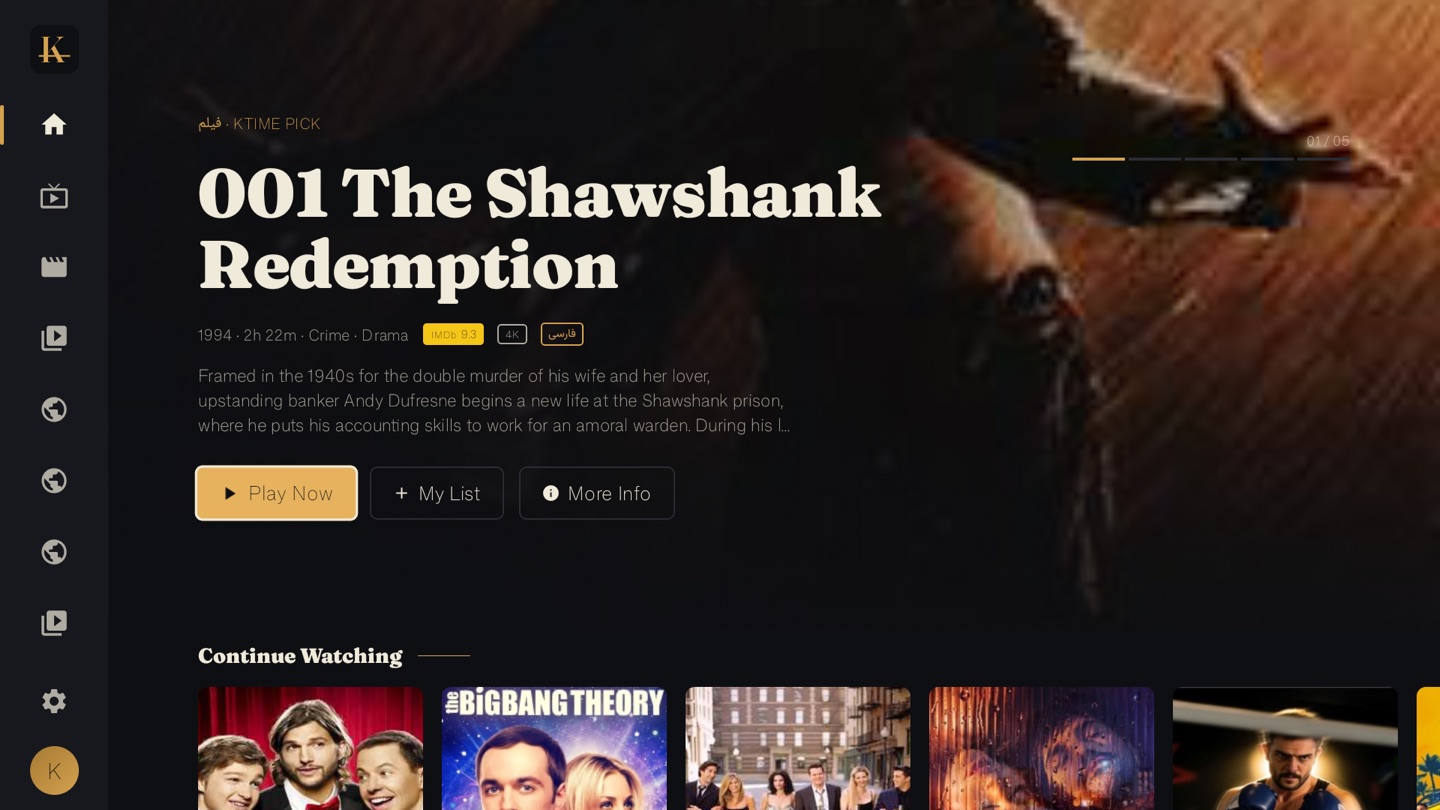
Every Iranian family abroad has the same unspoken job: making sure the parents and grandparents can watch something from home, on the big TV, without calling you every time the remote does something strange.
Just want the quick setup? → ktime.app/how-to-watch
This guide is how you finish that job in one evening. There are two paths — the three-minute install if you’re comfortable with a remote, and the no-setup path if you’d rather skip it entirely. Both end with your parents watching Persian films on their own TV, with no VPN and no Iranian bank card.
First, pick the device
You don’t need anything expensive. Here’s the honest breakdown.
| If your parents have… | Do this | Cost | Difficulty |
|---|---|---|---|
| A Sony / TCL / Hisense Google TV | Install the Ktime app on it | $0 | 3 minutes |
| An older TV, no smart features | Buy a Fire TV Stick 4K | ~$40 | 3 minutes |
| Nothing, and zero patience for setup | Buy the pre-configured Ktime دستگاه | one-off | 0 minutes |
| A Samsung or LG smart TV | Install the free Media Station X app + type your {code}.ktime.app address once, or add a Fire TV Stick |
$0–$40 | ~5 minutes |
Note the last row: the Ktime TV app is Android-based, so there’s no native Apple TV app, no AirPlay, and no native Samsung Tizen or LG webOS app. Those TVs still work, though, through one small free helper. On a Samsung or LG you install the free Media Station X app, then type in a short personal address — {code}.ktime.app — one single time. From then on, every time the TV turns on it opens straight into the branded Ktime portal: nothing to paste, no username or password to type. Our gentle, step-by-step how-to-watch guide walks a parent through it screen by screen. Playback is also no longer TV-only — Ktime streams in any web browser at ktime.app/app, on a phone, tablet or computer (iPhone and iPad included). For the simplest big-screen result on an older Samsung/LG/Apple TV, a cheap Fire TV Stick in the HDMI port turns any television into an Android TV.
Path A — the three-minute install
If your parents have a Google TV, Android TV, or a Fire TV Stick, the app installs in about three minutes:
- On the TV, open the Downloader app (free, from the Play Store or Amazon Appstore).
- Type
ktime.app/kand let it download the Ktime APK. - Approve the install. The Ktime icon now sits on the home screen next to Netflix and YouTube.
- Sign in once with the subscription account you created.
That’s it. You do this once, on their behalf. After that, opening Ktime is a single click — no menus, no passwords, no VPN to toggle.
Path B — the no-setup path (the Ktime دستگاه)
For households where nobody wants to touch Downloader or sideload anything, there’s a pre-configured Ktime دستگاه on the shelves at Iranian grocery and electronics stores in the Greater Toronto Area. You buy it like any TV accessory, bring it home, plug it into the TV’s HDMI port, and turn it on. Ktime is already installed. Sign in with your subscription account and your parents are watching.
This is the path we recommend for older parents whose only requirement is “open Persian movies on the TV without anyone helping me.” Ask at the Iranian grocery on Yonge near Steeles, or the electronics retailers along Bayview — they carry it. It’s rolling out to Los Angeles, Vancouver and the Bay Area next.
What they’ll actually watch
Once it’s set up, the home screen does the rest. The interface is built for one remote and large titles — designed, frankly, for a grandparent holding the remote alone. They’ll land on the latest Iranian films and series of 2025, the best of 2024 including the recent Cannes and Berlin winners, and hundreds of live Persian channels — IRIB, Manoto, GEM, news and sports — without a single search.
If they like a warm drama, point them at Tasian or My Favorite Cake. If they want the talked-about series, Vahshi is the one. The series binge guide has the rest.
What it costs
| Plan | Price | Per month |
|---|---|---|
| Monthly | CA$9.99 | CA$9.99 |
| 6-month | CA$54.99 | CA$9.17 |
| Annual | CA$99.99 | CA$8.33 |
One subscription plays one screen at a time, and switching devices costs nothing — set it up on your parents’ TV, and use the same login on your own phone when you are not both watching. US, UK and EU cards all work; the portal converts at your bank’s rate. For a US family that’s about USD 7.30 a month on the annual plan.
The honest closing thought
The setup is the only hard part, and it’s a one-time, one-evening job that you do once and never think about again. After that, your parents have what they’ve wanted for years: the films and the channels from home, on their own television, without asking anyone for help.
Start your subscription, get the TV app, or read the full device guide if you want the deeper version. Then go set it up — they’ll be watching tonight.